Foldnine Early access

Product · SiteOps · early access

Know which client site broke.
And why.

SiteOps checks availability, certificates, DNS and APIs for every website an agency looks after. When something actually fails, it opens an incident and keeps the evidence, so the first message to the client already says what happened.

For
web agencies
Checks
HTTP · SSL · DNS · API · links
Stage
early access
Access
by email, a few at a time

I reply in writing within one working day. No calls.

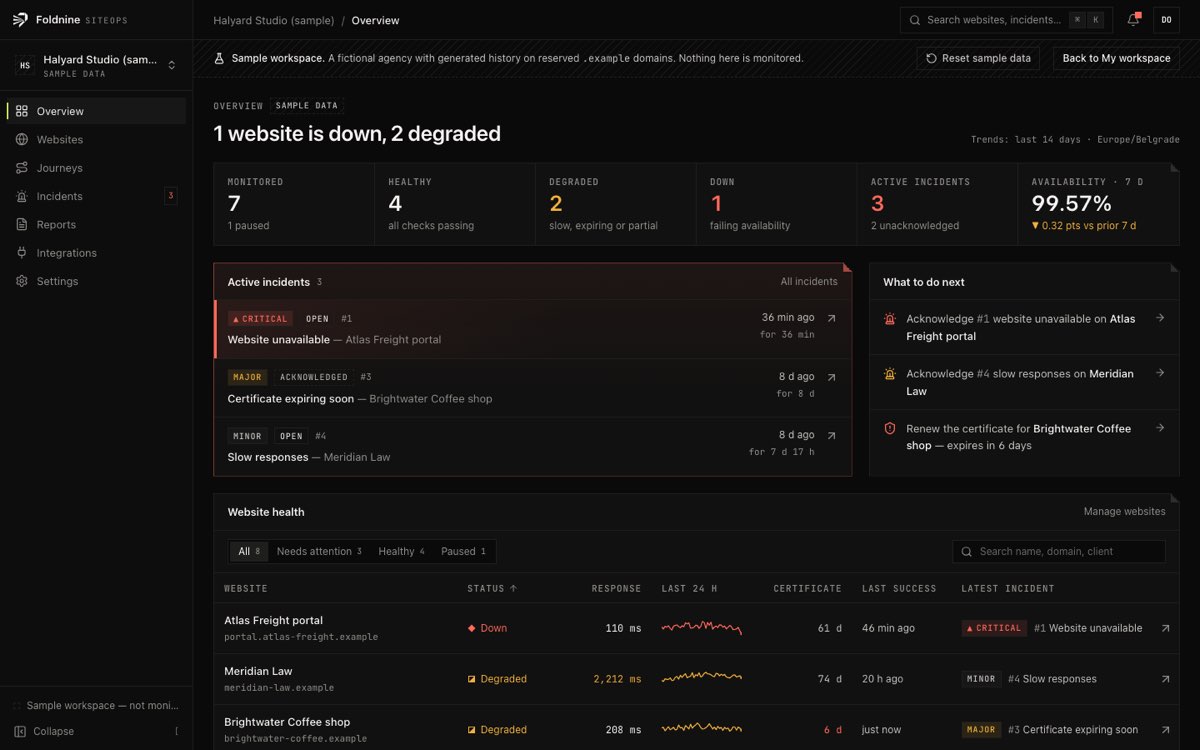
The SiteOps overview: a headline saying one website is down and one degraded, a summary of monitored, healthy, degraded and down websites, active incidents with a critical outage on top, a list of next actions, and the website health table.
The overview, on the built-in sample workspace: a fictional agency on reserved .example domains, with generated history.

What it checks

A few checks that work,
not many that almost do.

Filled marks are built and running. Outlined ones are designed and not available yet.

Availability

  • HTTP status, redirects and the serving address
  • Response time with a per-check slow threshold
  • Where the time went: DNS, connect, TLS, server

Certificates and DNS

  • TLS chain, hostname and days to expiry
  • A, AAAA, CNAME and nameservers
  • Missing records and unexpected addresses

APIs and links

  • Read-only GET/HEAD with expected status and body
  • Same-site links from a page, listed when they fail

Planned

  • PlannedBrowser journeys: forms, carts, logins
  • PlannedVisual change detection
  • PlannedEmail, Slack and webhook alerts

When something fails

An incident you can forward
without rewriting it.

  1. A check fails twice in a row
  2. The evidence is kept: status, headers, addresses, certificate, timings
  3. What was measured is listed apart from what might explain it
  4. The first passing check closes it and records how long it lasted

Possible causes are rule-based and marked as unverified. None is presented as the root cause.

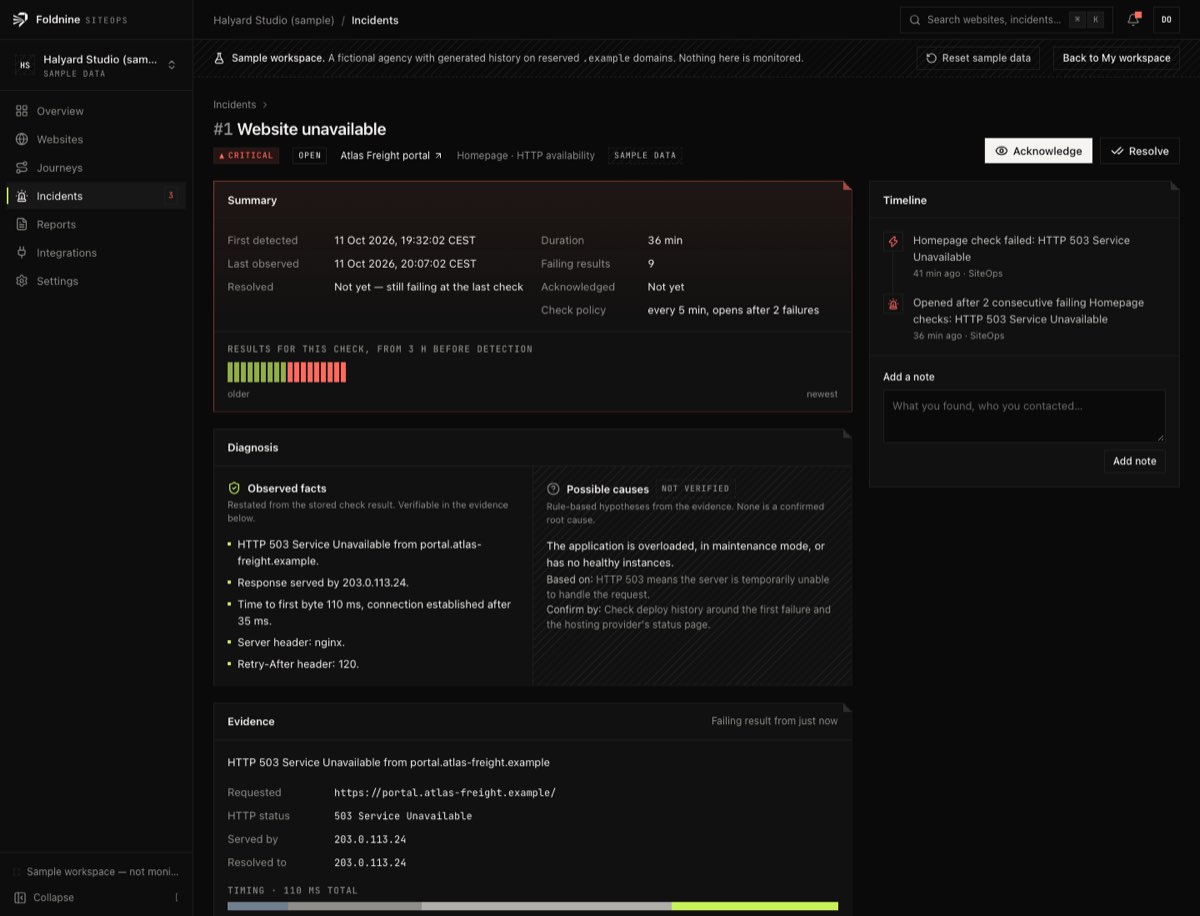
A SiteOps incident: critical severity, a summary with first detected and last observed times, a strip of check results, observed facts beside unverified possible causes, and the response evidence.
An incident in the sample workspace.

Where it stands

Early access,
stated plainly.

SiteOps is new. I am working with a few agencies first, to build what they actually need. There are no customer logos here, because there are no customers to show yet.

Works today

  • Checksfive types, scheduled
  • Incidentsopen, acknowledge, resolve
  • Evidencekept with every failure
  • Reportsper site and per client

Not yet

  • Alertsemail, Slack, webhooks
  • Journeysbrowser checks
  • Clientsstatus pages, white-label

Safe by construction

Checks run in a separate worker, never in the browser. Private networks, cloud metadata addresses and DNS rebinding are refused at connect time, and checks never submit forms or change data.

Running sites for clients?
Tell me how you find out when one breaks.

A couple of lines is enough. English or Serbian.